
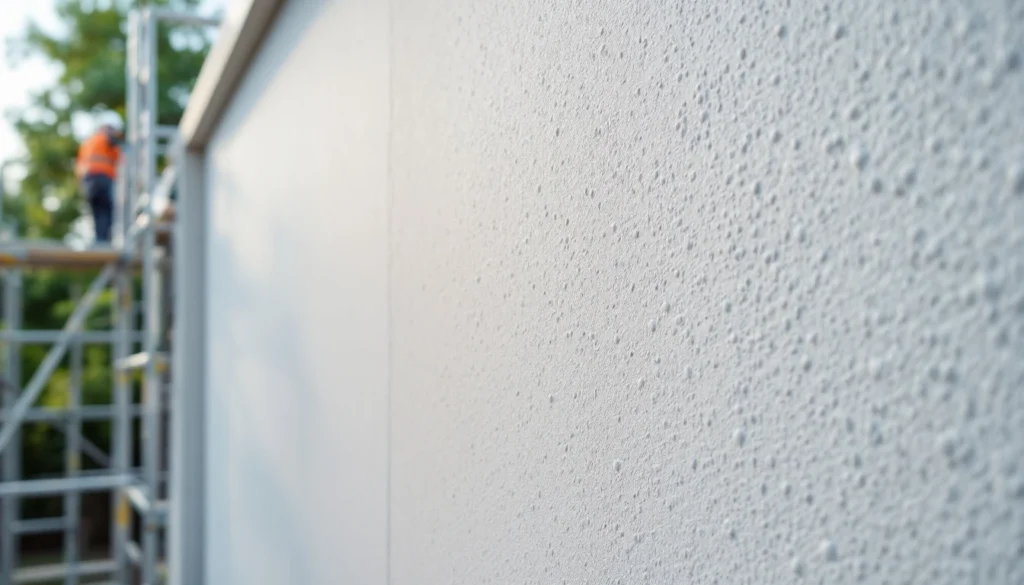
What Is Graphics Rendering? Understanding Rendering in Construction and Design
Quick Answer: Graphics rendering in construction refers to the digital process of creating photorealistic images or animations of buildings and interiors before they’re built. For plasterers and builders, architectural rendering visualises how finishes, colours, and textures will look in the completed space. Modern 3D rendering software can show exactly how a polished plaster feature wall, exterior render system, or decorative coving will appear, helping clients make informed decisions and reducing costly changes during construction. What Is Graphics Rendering in the Construction Context? When most people hear “rendering,” they think of applying sand and cement to external walls. But in the digital design world, graphics rendering means something completely different — it’s the computer-generated visualisation of buildings, rooms, and finishes before a single brick is laid or plaster mixed. Graphics rendering is the computational process of generating 2D images or animations from 3D models. In construction and architecture, this technology transforms architectural drawings and specifications into photorealistic images that show clients, planners, and tradespeople exactly what the finished project will look like. For plasterers specifically, architectural rendering proves invaluable for: Visualising complex decorative plasterwork before installation Demonstrating different finish textures (smooth skim, textured render, polished plaster) Showing how lighting affects wall surfaces and shadows Comparing colour options for coloured renders or painted plaster Planning feature walls and architectural details The Difference Between Physical Rendering and Graphics Rendering This often causes confusion on construction sites, so let’s clarify the terminology: Term Meaning in Construction Meaning in Graphics/Design Rendering Applying render coat to external walls (sand/cement, monocouche, etc.) Computational process of generating images from 3D models Render The material applied to walls (external render, insulated render) The final output image or animation from rendering software Texture Physical surface finish (smooth, roughcast, pebbledash) Digital surface properties applied to 3D models Finish Final coat and appearance of plasterwork Post-processing effects applied to rendered images When architects talk about “rendering the elevations,” they mean creating computer-generated images of the building’s exterior. When plasterers discuss external render types, they’re talking about the physical material and application process. How 3D Architectural Rendering Works Understanding the rendering process helps appreciate the technology that’s transforming how construction projects are planned and communicated. The process typically follows these stages: 1. 3D Modelling Architects and designers create a digital 3D model of the building or space using software like Autodesk Revit, SketchUp, ArchiCAD, or Rhino. This model includes accurate dimensions, structural elements, and architectural details — everything from wall thicknesses to window reveals. For renovation projects, laser scanning technology can capture existing buildings as 3D point clouds, ensuring millimetre-accurate models. This is particularly useful when planning house renovations where new work must integrate with existing structures. 2. Texturing and Materials Digital artists apply realistic surface materials to every element in the model. This includes: Plaster finishes (smooth skim, textured, polished) Render systems (monocouche, silicone, mineral) Brick textures and mortar joints Timber grains and finishes Glass properties (clear, frosted, tinted) Metal surfaces (brushed steel, copper, aluminium) Modern rendering software includes extensive material libraries with physically accurate properties. A polished Venetian plaster texture, for instance, will reflect light differently than a matt emulsion finish, and the software calculates these differences precisely. 3. Lighting Setup Lighting makes or breaks architectural renders. Digital artists position virtual light sources to simulate: Natural daylight (including seasonal sun angles for UK latitude) Artificial lighting (LED downlights, pendant fixtures, spotlights) Ambient lighting (sky dome illumination) Interior shadows and reflections The UK Building Regulations Part L requires specific daylighting standards, so accurate lighting simulation helps verify compliance during the design phase. 4. Camera Positioning Just like photography, camera placement determines the composition. Architectural photographers position virtual cameras to show: External elevations from street level Interior room views from typical eye height (1.5-1.7m) Aerial perspectives for site context Detail shots of features like decorative plasterwork 5. Rendering Computation This is where graphics rendering actually happens. The software uses complex algorithms to calculate: How light bounces between surfaces (global illumination) Shadow casting and soft shadows Reflections and refractions Material interactions (how plaster absorbs light vs. glass reflecting it) Depth of field and atmospheric effects Two main rendering methods exist: Rendering Method Speed Quality Best For Real-time rendering Instant (30-60 fps) Good Virtual walkthroughs, client presentations, VR experiences Ray tracing/path tracing Minutes to hours per frame Photorealistic Marketing images, planning applications, high-end visualisations A single high-quality architectural render at 4K resolution can take 2-8 hours to compute on professional hardware, though modern GPU rendering (using graphics cards) has significantly reduced these times. 6. Post-Processing The final stage involves enhancing the raw render in software like Adobe Photoshop. This includes: Colour grading for mood and atmosphere Adding entourage (people, cars, landscaping) Adjusting brightness and contrast Adding subtle imperfections for realism Inserting sky backgrounds and environmental context Common Rendering Software Used in UK Construction Different professionals use different tools depending on their workflow and project requirements: Software Primary Users Typical Cost (2026) Strengths Autodesk 3ds Max + V-Ray Visualisation studios, architectural practices £1,750-2,200/year Industry standard, extensive plugin ecosystem, photorealistic results Lumion Architects, smaller practices £1,200-2,800 (one-time) Real-time rendering, easy to learn, quick results Enscape Architects using Revit/SketchUp £650/year Real-time, integrates with design software, VR support Twinmotion Architects, landscape designers Free (Epic Games) Real-time, accessible, good for presentations Corona Renderer Visualisation specialists £550/year Physically accurate, user-friendly, excellent material library Blender + Cycles Freelancers, students Free (open source) Powerful, completely free, active community Major UK architectural practices like Foster + Partners, Zaha Hadid Architects, and Rogers Stirk Harbour use combinations of these tools alongside proprietary workflows. Why Graphics Rendering Matters for Plastering and Construction Projects For tradespeople and construction professionals, architectural rendering provides tangible benefits beyond pretty pictures: 1. Client Communication and Approval Homeowners struggle to visualise technical drawings. A photorealistic render showing their proposed extension with external render finish, window styles, and landscaping makes decision-making straightforward. This is especially valuable for property renovation projects where clients need to approve finish specifications before work begins. Showing three render options side-by-side (smooth silicone vs. textured monocouche vs. traditional
What Is Graphics Rendering? Understanding Rendering in Construction and Design Read More »